
Adjust SD Speed1.1 - Get APK
You'll be able to download in few seconds.
Publisher Description
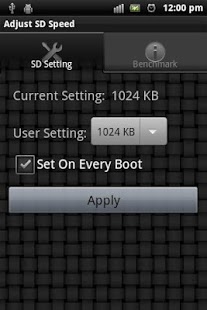
Adjust and Boost Your SD Buffered Read/Write Throughput Performance.
**REQUIREMENT** Rooted Phone and Root Privilege are Required Because This App Need to Change the Kernel Parameter of Your System.
Android OS and devices have many variations, it's not possible to test in all platforms. If your installation does not work, please just uninstall it, don't give any bad comments nor low ranks. Many people mobiles just work while yours does not.
If you like this application, or want to donate to the author, or want AD-free version, please visit https://play.google.com/store/apps/details?id=com.RombieSoft.adj_sd_speed_pro
Latest PRO version provides more settings for IO scheduler, fifo_batch, nr_requests.
This app can adjust the SD card parameter "read_ahead_kb" in your Android Linux kernel setting. By setting the attribute, your mobile device and SD card read/write might gain better performance. The buffered read performance is highly correlated with running Apps on SD, browsing photo albums, etc. The write performance is not directly controlled by this attribute. By enlarging read buffer with reducing read action to SD, write command can be done more quickly and efficiently without being interrupted by multiple separate SD read command. On the mobile device equipped with less memory space, it's recommended not to set the buffer size larger than 1024KB. The larger buffer size is good but it might affect the available memory space used by other buffers and normal Apps. It could result in bad performance due to Android needs to kill inactive Apps and recovery memory frequently.
Also, you can set the App option to automatically enlarge the default system buffer on EVERY boot.
This app also has built-in performance testing feature. This does not actually reflect the real RAW SD read/write speed, but highly relative to your normal phone and Android usage because Linux OS has system buffer for file IO.
**NOTE** Android is multi-tasking OS and Java-like VM. Due to lack of REAL-TIME operation (and impossible to lock your phone to do real time jobs), the performance testing results might be affected by many factors, such as background tasks, App managers, Dalvik VM garbage collections, Android System and Google Services, and etc. If the testing result looks not accurate, please quit/kill some applications running in the background or accessing to SD, and perform multiple run to see the best one.
This FREE version only has 512KB, 1024KB, 2048KB for you to set the SD read_ahead_kb size. Also the performance testing size is also limited to 2048KB and below only.
About Adjust SD Speed
The company that develops Adjust SD Speed is RombieSoft. The latest version released by its developer is 1.1.
To install Adjust SD Speed on your Android device, just click the green Continue To App button above to start the installation process. The app is listed on our website since 2012-03-17 and was downloaded 0 times. We have already checked if the download link is safe, however for your own protection we recommend that you scan the downloaded app with your antivirus. Your antivirus may detect the Adjust SD Speed as malware as malware if the download link to com.RombieSoft.adj_sd_speed is broken.
How to install Adjust SD Speed on your Android device:
- Click on the Continue To App button on our website. This will redirect you to Google Play.
- Once the Adjust SD Speed is shown in the Google Play listing of your Android device, you can start its download and installation. Tap on the Install button located below the search bar and to the right of the app icon.
- A pop-up window with the permissions required by Adjust SD Speed will be shown. Click on Accept to continue the process.
- Adjust SD Speed will be downloaded onto your device, displaying a progress. Once the download completes, the installation will start and you'll get a notification after the installation is finished.
Program Details
System requirements
Download information
Pricing
Version History
version 1.1
posted on 2012-03-17
1.1. Update to new benchmark method, no busybox or "dd" command required. Using dynamic benchmark display for quick UI response. Using big data file for good average benchmark. And some crash bugfix,1.0 Initial release
version 1.1
posted on 2012-03-17
Several fixes and updates
Disclaimer
External Download
We do not host Adjust SD Speed on our servers. We did not scan it for viruses, adware, spyware or other type of malware. This app is hosted by Galad and passed their terms and conditions to be listed there. We recommend caution when installing it.
The APK Download link for Adjust SD Speed is provided to you by apps112.com without any warranties, representations or guarantees of any kind, so access it at your own risk.
If you have questions regarding this particular app contact the publisher directly. For questions about the functionalities of apps112.com contact us.
